
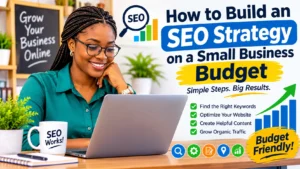
Running a small business doesn’t mean you need a big marketing budget to compete online. With the right approach, you can improve your website’s visibility, attract potential customers from search engines, and grow your business without spending thousands of dollars on professional SEO services.
Search engine optimization (SEO) is one of the most useful long-term marketing investments for small businesses. It helps people discover your products, services, and information when they search online for solutions to their problems.
The good news is that you don’t need expensive software, a large marketing team, or advanced technical knowledge to get started. What you need is a clear plan, an understanding of your customers, and consistent effort.
In this guide, you’ll learn how to build an SEO strategy on a small business budget, find the right keywords, improve your website, create helpful content, and attract more organic traffic. You’ll also discover affordable SEO tools and practical ways to measure your progress.
Whether you operate a local shop, a service-based business, an online store, or a small company, these steps will help you make better use of your marketing budget.
What Is an SEO Strategy?
An SEO strategy is a planned approach to improving your website so that search engines like Google can understand it and show it to people searching for relevant information, products, or services.
SEO stands for search engine optimization. In simple terms, it means making your website easier for search engines to discover while ensuring visitors find useful information when they arrive.
A good SEO strategy usually includes five important areas:
- Keyword research: Discovering the words and questions your potential customers search for.
- On-page SEO: Improving website content, headings, titles, descriptions, and internal links.
- Technical SEO: Making sure your website works properly, loads efficiently, and can be accessed by search engines.
- Content marketing: Publishing helpful articles, guides, and other resources that answer customers’ questions.
- Off-page SEO: Building your website’s reputation through genuine mentions, relevant links, and business relationships.
For a small business, the goal isn’t to do everything at once. It is to focus on the activities that offer the greatest value with the resources available.
Need Help Finding the Right Keywords for Your Business?
Choosing the wrong keywords can waste your time and marketing budget. Let us help you discover valuable keywords your potential customers are searching for and build a strategy that attracts relevant traffic.
Why Small Businesses Need an Affordable SEO Strategy
Small businesses often compete against larger companies with bigger advertising budgets and dedicated marketing departments. However, a smaller business can still attract valuable customers through a focused SEO strategy.
Here are some reasons SEO is worth considering.
1. It Helps Customers Find Your Business
Imagine someone searching Google for “affordable wedding photographer in Lagos.” If you offer that service and have a well-optimized website, your business may have an opportunity to appear in relevant search results.
Without SEO, potential customers may discover your competitors before they discover you.
2. It Can Reduce Dependence on Paid Advertising
Paid advertising can generate visibility, but traffic usually stops when you stop paying for advertisements.
SEO works differently. A useful article or well-optimized service page can continue attracting visitors long after publication, although rankings and traffic are never guaranteed.
This makes organic search an attractive long-term marketing channel for businesses with limited budgets.
3. It Builds Trust and Credibility
People are more likely to consider a business when they can find clear information about its services, experience, location, and customer support.
Helpful website content, genuine customer reviews, accurate business information, and transparent contact details can help establish confidence.
4. It Attracts People Already Interested in Your Services
SEO allows you to reach people who are actively searching for what you offer.
For example, someone searching for “how to choose a reliable plumber” may eventually need plumbing services. A helpful article can introduce your business before that person makes a purchasing decision.
How to Build an SEO Strategy on a Small Business Budget
Building an affordable SEO strategy becomes easier when you break it into manageable steps.
Step 1: Understand Your Target Audience
Before researching keywords or publishing articles, identify the people you want to reach.
Your target audience consists of the individuals most likely to purchase your products or use your services. Start by answering these questions:
- Who are your ideal customers?
- What problems do they want to solve?
- What products or services are they looking for?
- Where are they located?
- What questions do they ask before making a purchase?
- What words would they use when searching online?
For example, if you own a small cleaning company, your potential customers may search for:
- Affordable home cleaning services.
- Office cleaning companies near me.
- How to clean a sofa professionally.
- Best cleaning services for apartments.
These searches reveal what your audience needs.
Budget-friendly tip: Speak with existing customers. Ask how they discovered your business, what problems they needed help with, and what information influenced their purchasing decisions.
You can learn valuable keyword and content ideas directly from these conversations without paying for market research.
Step 2: Conduct Keyword Research for Free
Keyword research is the process of identifying the search terms people use when looking for information, products, or services related to your business.
Choosing suitable keywords helps you create content that matches what your audience wants. For example, a small bakery might target:
- Bakery near me.
- Affordable birthday cakes.
- Custom wedding cakes.
- How to order a birthday cake online.
Instead of targeting only highly competitive keywords, look for specific search phrases that closely match your products or services.
These are often called long-tail keywords. Long-tail keywords are longer, more specific search phrases. They may attract fewer searches individually, but they can bring visitors with clearer intentions.
Affordable keyword research tools include:
- Google Keyword Planner: Helps discover keyword ideas and estimated search demand.
- Google Trends: Shows how interest in particular search terms changes over time.
- Google Search Console: Reveals queries that already bring people to your website.
- Google autocomplete: Provides suggestions based on common searches.
- AnswerThePublic: Helps discover questions people ask about a topic. Check its current free usage limits.
You can also use Google’s related searches and People Also Ask results to discover questions worth answering.
Practical tip: Create a simple spreadsheet with three columns: keyword, search intent, and relevant website page. This will help you organize your research without purchasing expensive SEO software.
Step 3: Focus on Search Intent, Not Just Keywords
Finding keywords is only half the job. You must understand why people search for them. Search intent refers to the reason behind a search query. There are four common types:
Informational intent: The person wants to learn something.
Example: “How do I improve my website SEO?”
Navigational intent: The person wants to find a particular website or brand.
Example: “Google Search Console login.”
Commercial investigation intent: The person is comparing products or services before making a decision.
Example: “Best affordable SEO tools for small businesses.”
Transactional intent: The person is ready to take action or make a purchase.
Example: “Hire an SEO consultant near me.”
Your website should contain content that addresses the different stages of the customer’s journey.
For instance, an SEO agency could publish beginner guides for informational searches, comparison articles for commercial searches, and service pages for transactional searches.
Matching content to search intent makes your website more useful and increases the chances of attracting relevant visitors.
Step 4: Optimize Your Website’s Existing Pages
You don’t always need to publish new articles to improve SEO. Sometimes, updating existing website pages can make a meaningful difference. On-page SEO involves improving individual pages so that search engines and visitors can understand their content.
Pay attention to these important elements:
Page titles: Write a clear title that explains what the page offers. Include your primary keyword naturally.
Example: “Affordable Website Design Services for Small Businesses.”
Meta descriptions: Write a short summary that encourages people to visit your page from search results. It should accurately describe the content.
Headings: Use one clear main heading and organize the remaining content with descriptive subheadings.
Keyword placement: Include your main keyword naturally in the title, introduction, relevant headings, and body text. Avoid repeating it unnecessarily.
Image optimization: Use descriptive image file names and meaningful alternative text (alt text) where appropriate.
Internal links: Link related pages on your website to help visitors discover more information.
Readable content: Use short paragraphs, simple language, and descriptive headings.
For example, a page about affordable accounting services should clearly explain the services available, who they are suitable for, what customers can expect, and how to make an enquiry.
Remember that good on-page SEO is about clarity and usefulness, not inserting keywords into every sentence.
Step 5: Create Helpful Content Consistently
Content marketing is one of the most affordable ways for small businesses to build organic visibility.
You don’t need to publish a new article every day. A few well-researched, genuinely useful articles can provide more value than dozens of shallow posts. Start by identifying the questions customers frequently ask. For example, a small gardening business could publish articles such as:
- How to Start a Home Garden on a Budget.
- Best Plants for Small Gardens.
- How Often Should You Water Garden Plants?
- Common Gardening Mistakes Beginners Should Avoid.
Each article should answer a specific question thoroughly and provide practical advice.
Consider creating different types of content:
Educational blog posts: Explain common problems and their solutions.
How-to guides: Show readers how to complete a task step by step.
Comparison articles: Help customers understand the differences between products or services.
Case studies: Demonstrate how your business has helped real customers, using accurate information and permission where necessary.
Frequently asked questions: Answer common questions about your products, pricing, delivery, and services.
A useful approach is to publish one comprehensive pillar article supported by several smaller, related articles.
For example, a pillar article about small business SEO can link to supporting guides on keyword research, local SEO, technical SEO, and content marketing.
This creates a topic cluster that helps readers explore related information and makes your website easier to navigate.
Step 6: Improve Your Local SEO
If your business serves customers in a particular town, city, or geographical area, local SEO should be part of your strategy. Local SEO helps businesses become more visible when people search for nearby products and services.
For example, a customer might search for “hair salon in Port Harcourt” or “best restaurant near me.”
One of the most useful free tools for local businesses is Google Business Profile. A properly maintained profile can display important information about your business on Google Search and Maps.
To improve your local SEO:
- Create or claim your Google Business Profile.
- Enter your correct business name, address, phone number, and website.
- Select the most relevant business category.
- Add accurate opening hours.
- Upload genuine photographs of your business.
- Describe your products and services clearly.
- Encourage satisfied customers to leave honest reviews.
- Respond professionally to customer feedback.
- Keep your business information updated.
You should also create useful location-specific website content where it genuinely helps customers.
For example, a plumbing company serving several areas could create dedicated service-area pages explaining where it operates and what services are available.
Avoid creating numerous nearly identical location pages simply to target different place names.
Step 7: Take Care of Basic Technical SEO
Technical SEO involves improving the parts of your website that help search engines access, understand, and index your content. Although technical SEO can sound complicated, small businesses can handle several important tasks without hiring a developer.
Start with these basics:
Make your website mobile-friendly: Many people browse the internet using smartphones. Your website should display properly on smaller screens, with readable text and easy-to-use navigation.
Improve website loading speed: Large images, unnecessary plugins, and poorly configured website themes can slow down your pages. Compress images, remove unnecessary features, and use reliable hosting.
Use HTTPS: Your website should have a valid SSL certificate so that visitors can access it securely.
Create an XML sitemap: A sitemap helps search engines discover important pages on your website. Many popular website platforms and SEO plugins can generate one automatically.
Check for broken links: Broken links can frustrate visitors and make website navigation difficult. Review your website regularly and correct outdated links.
Avoid duplicate pages: Make sure your website has clear page versions and appropriate canonical settings where necessary.
Connect Google Search Console: Google Search Console is a free tool that helps website owners monitor search performance, indexing, and technical issues.
You don’t need to master every technical SEO concept immediately. Begin with the basics and improve your website gradually.
Step 8: Build Quality Backlinks Without Spending Much
Backlinks are links from other websites that point to your website. They can help search engines discover your pages and provide additional context about your website’s reputation.
However, not all backlinks are equally valuable. A relevant link from a respected website in your industry is generally more useful than numerous unrelated links from low-quality websites. Here are affordable ways to earn backlinks:
- Write useful guest articles for relevant websites.
- Collaborate with businesses that serve similar audiences.
- Participate in legitimate industry directories.
- Publish original research, surveys, or useful resources.
- Build relationships with local journalists and community publications.
- Share genuinely helpful resources with relevant professional communities.
For example, a local interior design company could collaborate with a furniture retailer to create a practical guide about decorating small apartments.
Both businesses could share the guide with their audiences. Avoid purchasing large quantities of backlinks or participating in link schemes. These shortcuts can put your website at risk of search engine penalties or reduced visibility.
Focus on building genuine relationships and creating resources that other people have a reason to reference.
Step 9: Use Affordable SEO Tools
You don’t need to subscribe to several expensive SEO platforms when starting out. A combination of free tools can help you manage the most important parts of your SEO strategy.
| SEO Tool | What It Helps You Do |
|---|---|
| Google Search Console | Monitor search performance and indexing |
| Google Analytics 4 | Understand website visitor behaviour |
| Google Keyword Planner | Discover keyword ideas |
| Google Trends | Explore changing search interest |
| Google Business Profile | Improve local business visibility |
| PageSpeed Insights | Check website performance |
| Bing Webmaster Tools | Monitor your website on Bing |
| Canva | Create original blog graphics and visual content |
You can also use a spreadsheet to track keywords, content ideas, published articles, and monthly progress. The important thing is to choose tools based on your actual needs rather than paying for software you rarely use.
Let SEO Experts Help Your Business Grow!
You don’t have to figure out SEO alone. From website optimization and technical SEO to content strategy and keyword research, we can help improve your website’s search visibility.
Step 10: Measure Your SEO Results
An SEO strategy should be reviewed regularly to understand what is working and what needs improvement. Without tracking results, you may continue spending time on activities that aren’t producing meaningful business outcomes.
Start by monitoring these metrics:
Organic traffic: The number of visitors arriving through unpaid search results.
Search impressions: How often your website appears in search results.
Click-through rate (CTR): The percentage of impressions that result in clicks.
Keyword rankings: The positions of your website for selected search queries.
Conversions: Actions that matter to your business, such as enquiries, bookings, purchases, and phone calls.
Engagement: How visitors interact with your website and whether they find the information they need.
Google Search Console is particularly useful for monitoring impressions, clicks, search queries, and average search positions.
Google Analytics 4 can help you understand website visits and important user actions.
Review your results monthly. Identify pages receiving impressions but few clicks, articles that need updating, and keywords that are beginning to generate traffic.
SEO takes time, and results vary depending on your industry, competition, website condition, and the quality of your work. Avoid expecting immediate first-page rankings.
How Much Should a Small Business Spend on SEO?
There is no fixed amount that every small business should spend on SEO. Your budget depends on your business goals, available resources, website condition, and whether you plan to handle the work yourself or hire professionals.
If you are starting with a limited budget, consider beginning with free tools and investing your time in activities that improve your website. Here is an example of a simple monthly SEO budget:
| Activity | Suggested Monthly Budget |
|---|---|
| Keyword research tools | ₦0 |
| Google SEO tools | ₦0 |
| Content creation | ₦0–₦20,000 |
| Website maintenance | ₦0–₦30,000 |
| Image creation | ₦0–₦3,000 |
| Professional assistance when needed | Optional |
These figures are illustrative planning estimates, not standard market prices. Actual costs will depend on your location, platform, and business requirements.
If you cannot afford to outsource SEO, start with keyword research, website improvements, and helpful content. You can gradually invest in professional support when your business grows.
Common SEO Mistakes Small Businesses Should Avoid
Even with a small budget, you can waste money and time by following the wrong SEO practices. Here are some common mistakes to avoid.
1. Targeting keywords that are too competitive
A new website may struggle to compete for broad terms dominated by established websites. Begin with specific keywords that closely match your services and audience.
2. Keyword stuffing
Repeating the same keyword unnaturally makes content difficult to read. Use related terms naturally and focus on answering the reader’s question.
3. Publishing low-quality articles
Publishing many articles without providing meaningful information does not guarantee better rankings. Prioritize accuracy, usefulness, and originality.
4. Ignoring mobile users
A website that is difficult to navigate on a smartphone can lose potential customers. Test your pages on different screen sizes.
5. Buying cheap backlinks
Unnatural link-building schemes can create problems for your website. Focus on relevant, legitimate links.
6. Neglecting existing content
Older articles may contain outdated information, broken links, or missing details. Review and improve them regularly.
7. Expecting instant results
SEO is a long-term process. Give your strategy enough time to produce meaningful data before making major decisions.
How to Make Your SEO Strategy Ready for AI Search and GEO
Search is changing. People increasingly use AI-powered search experiences and conversational tools to discover information, compare products, and find answers.
This has made Generative Engine Optimization (GEO) an important topic for website owners.
GEO refers to improving the quality, clarity, and usefulness of online content so that it has a better opportunity to be discovered, understood, and referenced by generative AI systems.
However, GEO should not be treated as a replacement for traditional SEO. Google’s published guidance emphasizes that established SEO practices remain important for its AI-powered search experiences. It also encourages website owners to create unique, reliable, people-first content rather than chase artificial optimization tricks.
Small businesses can prepare for this changing search environment by following these practices:
- Answer questions clearly: Provide direct answers to common questions before expanding into detailed explanations.
- Use descriptive headings: Organize information into meaningful sections so readers and search systems can understand the subject.
- Demonstrate real experience: Include genuine examples, original photographs, customer experiences, and practical insights from your business.
- Use trustworthy information: Check facts, cite reliable sources where appropriate, and update outdated information.
- Explain who created the content: Include an author name, professional biography, and relevant experience. Where necessary, have qualified professionals review specialist information.
- Maintain consistent business information: Make sure your business name, contact information, services, and location are accurate across your website and relevant business listings.
- Build a recognizable online reputation: Encourage genuine reviews, earn relevant mentions, and contribute useful information to your industry.
There is no guaranteed method of getting your website mentioned by an AI system. Focus on building a website that provides information people genuinely want to use and share.
A Simple 90-Day SEO Plan for Small Businesses
If you are unsure where to begin, use this practical three-month plan.
Month 1: Build Your SEO Foundation
Focus on understanding your audience and improving your website.
- Identify your target customers.
- Research 10–20 relevant keywords.
- Set up Google Search Console.
- Set up Google Analytics 4.
- Check your website’s mobile usability.
- Improve important page titles and descriptions.
- Create or update your Google Business Profile if applicable.
Month 2: Publish Helpful Content
Focus on creating useful resources for your audience.
- Publish one comprehensive pillar article.
- Create two to four supporting blog posts.
- Improve your service or product pages.
- Add relevant internal links.
- Optimize images.
- Answer frequently asked customer questions.
Month 3: Improve Visibility and Measure Results
Focus on building your website’s reputation and reviewing performance.
- Request honest reviews from satisfied customers.
- Build relationships with relevant websites.
- Identify pages receiving search impressions.
- Update content that needs improvement.
- Review your keyword performance.
- Identify opportunities for additional content.
- Set goals for the next three months.
This plan provides a manageable starting point. Adjust the workload according to your available time and business priorities.
Frequently Asked Questions About SEO for Small Businesses
1. Can I do SEO for my small business myself?
Yes. You can handle many basic SEO activities yourself, including keyword research, content creation, page optimization, local SEO, and performance monitoring.
Free tools such as Google Search Console, Google Trends, and Google Analytics 4 can help you get started.
You may need professional assistance for more complicated technical problems or advanced SEO projects.
2. How long does SEO take to work for a small business?
SEO does not have a guaranteed timeline. Some improvements may produce measurable changes relatively quickly, while building consistent organic traffic can take several months or longer.
Your results depend on competition, website authority, content quality, technical condition, and the search terms you target.
3. Is SEO better than paid advertising for small businesses?
Neither is automatically better. They serve different purposes. Paid advertising can provide visibility quickly, while SEO can help build long-term organic visibility.
A combination of both may work well when your budget allows. If funds are limited, SEO is worth developing as a long-term marketing investment. Read more on SEO vs. Paid Advertising for Nigerian Small Businesses: Which Is Better for Growing Your Business?
4. What is the best free SEO tool for beginners?
Google Search Console is one of the best starting points because it provides information about your website’s visibility in Google Search, including clicks, impressions, search queries, and indexing issues. Google Trends and Google Keyword Planner are also useful for keyword research.
5. Do small businesses need a blog for SEO?
A blog is not compulsory, but it can help your business answer customer questions, demonstrate knowledge, and attract people searching for relevant information.
Your website should also have well-optimized service or product pages. A blog should support your business goals rather than replace those important pages.
6. What is the difference between SEO and GEO?
SEO focuses on improving a website’s visibility in traditional search engine results. GEO focuses on making useful information more discoverable and understandable in generative AI experiences.
They overlap in important ways, particularly around content quality, accuracy, clear structure, and online credibility.
7. Can a small business rank on Google without backlinks?
Yes. Backlinks are not an absolute requirement for a website to appear in Google Search. However, relevant, trustworthy links can help search engines discover content and understand a website’s reputation.
A small business should focus on creating useful content, maintaining a technically sound website, and earning genuine mentions rather than buying links.
8. Should I hire an SEO agency or do SEO myself?
If your business has a limited budget, starting with basic DIY SEO can be a sensible decision. An SEO professional may become useful when you need technical improvements, competitive research, advanced content planning, or a more comprehensive strategy.
Before hiring anyone, ask about their approach, reporting process, experience, and expected deliverables. Be cautious of guaranteed ranking promises.
Ready to Turn Your Website into a Customer-Generating Machine?
Your potential customers are searching for the products and services you offer. Make it easier for them to find your business with a strategic SEO approach.
Whether you need local SEO, technical SEO, keyword research, content optimization, or a complete SEO strategy, we’re here to help.
Stop letting potential customers find your competitors first.
Let’s discuss your business goals and create an SEO strategy that works with your budget.
Author Profile

-
James Agbai is an SEO Specialist and Content Strategist with over five years of experience helping businesses, bloggers, startups, and service providers improve their online visibility through ethical, data-driven SEO.
He specializes in technical SEO, content strategy, keyword research, and on-page optimization, with a focus on building sustainable organic growth rather than relying on short-term tactics.
Latest entries
 SEO for Nigerian BusinessesOctober 31, 2026How to Build an SEO Strategy on a Small Business Budget: A Complete Beginner’s Guide
 SEO for Nigerian BusinessesOctober 31, 2026SEO vs. Paid Advertising for Nigerian Small Businesses: Which Is Better for Growing Your Business?
 SEO for Nigerian BusinessesOctober 29, 2026How to Choose an SEO Agency in Nigeria: A Complete Guide for Businesses
 SEO for Nigerian BusinessesOctober 29, 2026Is SEO Worth It for Small Businesses in Nigeria? A Complete Guide